Your data Your data and help
How your files are protected, who can see what, what support access means, how to delete, and what a cancellation or a lock deletes and when.
Your organisation's files and the reports made from them are yours. This article says what SkyLink does with them, in the same words as the privacy policy, which is the binding text.
How your files are protected
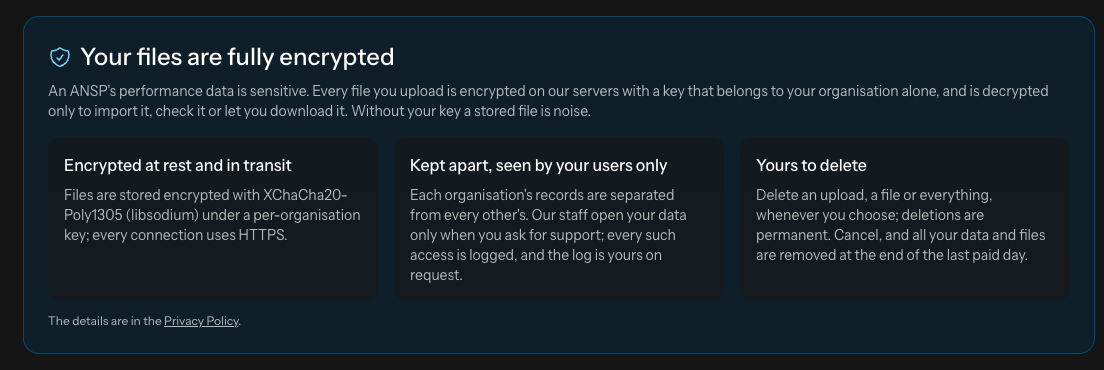
- Every uploaded file is stored encrypted, with a key that belongs to your organisation alone, and is decrypted only to import it, to check it or to let you download it. Without your organisation's key a stored file is noise.
- Every connection uses HTTPS; passwords are stored hashed, never readable.
- Each organisation's rows are kept apart from every other's, and a user of yours sees your FIRs only. A page cannot show another organisation's data, and the demonstration organisation you may have seen on the front page holds invented data.
- Nothing is sold or shared. Your data is used to provide the service and, in aggregated form that identifies no organisation, for statistics and to improve the service.
Who can see what
| Sees | |
|---|---|
| An Editor of yours | Every report page and every upload of your organisation |
| An Admin of yours | The same, plus the users, the organisation's details and the billing |
| SkyLink's support | Your account, your subscription and your users. Your uploads and reports only during a support session that you asked for: every page opened in such a session is logged, and the log of that access is yours on request. |
Your invoice details, your card's last digits and the people you invited are account data; the files and the reports are Customer Data in the policy's words, handled only on your instructions.
Deleting
You can delete at any time, without asking us, from the Uploads page: one upload, every file, or everything your organisation holds. Deletions are permanent. Deleted data can remain in a backup for a limited time, as the policy says; backups are kept for disaster recovery and are not used to restore what a customer deleted on purpose.
What a cancellation or a lock deletes, and when
- Cancelling keeps everything until the last day you have paid for. On that day all your files, rows, reports and settings are deleted permanently. Until then, Keep the subscription on the billing page withdraws the cancellation and nothing is lost.
- A payment lock after a grace period keeps your data for six months, with four weekly warnings during the sixth month; a payment within those six months reopens the account with everything in place. After the six months the data is deleted.
- A free month that ends unpaid locks the account at once; its data is kept 14 days, with one warning, then deleted.
- Deleting your own account removes your login only; the organisation's data stays.
The exact rules are in the terms of service; the Billing article explains the grace periods and how a lock is lifted.
Asking us
To ask what we hold, to have something corrected, or to have your personal data deleted, write to support@skylinkpbcs.com or through the contact page. For an organisation's data, ask your Admin first: the organisation decides.
Not answered here? Write to us.