
CSP outages Your organisation
Recording an outage of your communication service provider by hand, importing a file of notices, and what changes in the reports once your handling is verified.
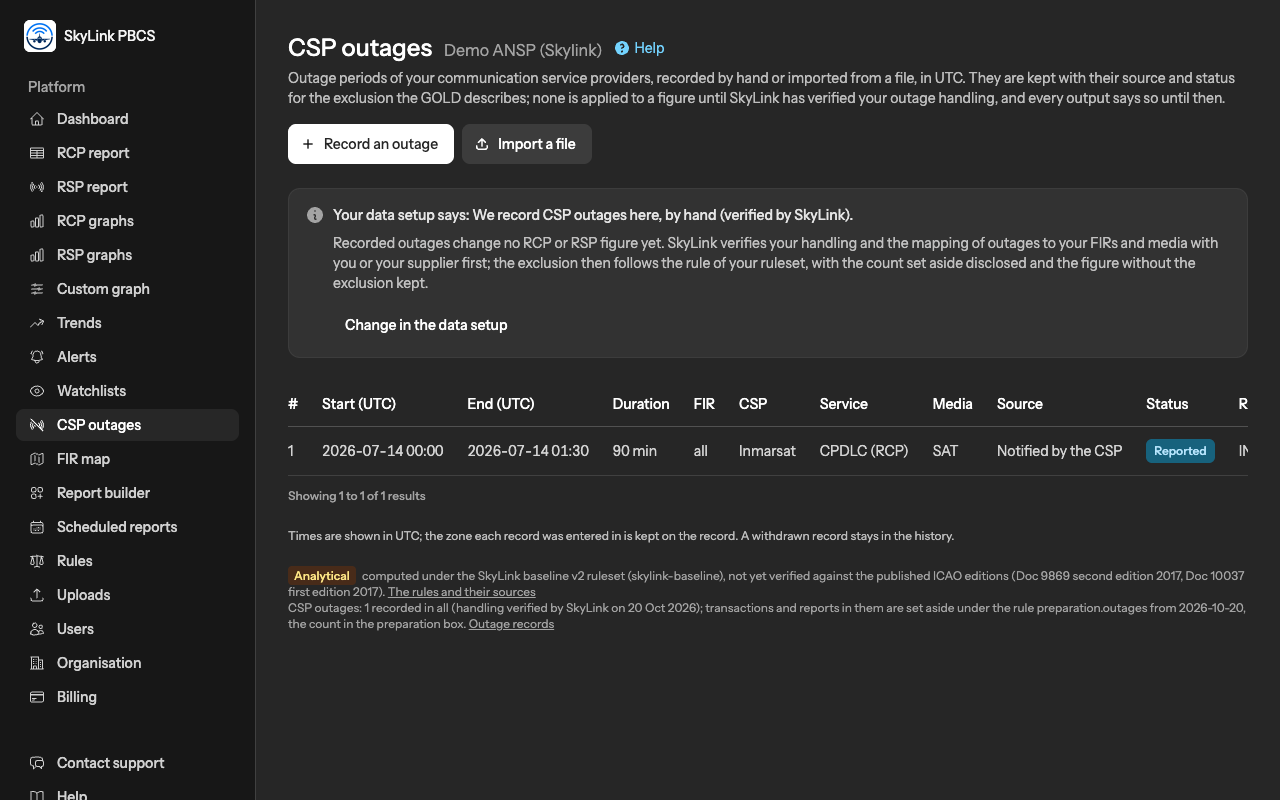
When a communication service provider's network is down, the transactions and reports of that time cannot meet any limit, and the regional procedures set them aside before measuring. SkyLink keeps a record of your outages so that this can be done consistently, and it does nothing with a record until it has verified, with you, how your organisation handles outages.
Before anything: the data setup
The CSP outages step of the data setup asks how outages are handled in your files: your supplier removes the affected transactions before the file is produced; you record outages here; you import notices from a file; or you do not track them. It also asks where you learn of outages, and the CSPs step asks for the names of your providers, which the outage form then offers. The first time an Admin opens the outages page without an answer there, the setup opens at that step.
Recording an outage
An Editor or an Admin records an outage with Record an outage:
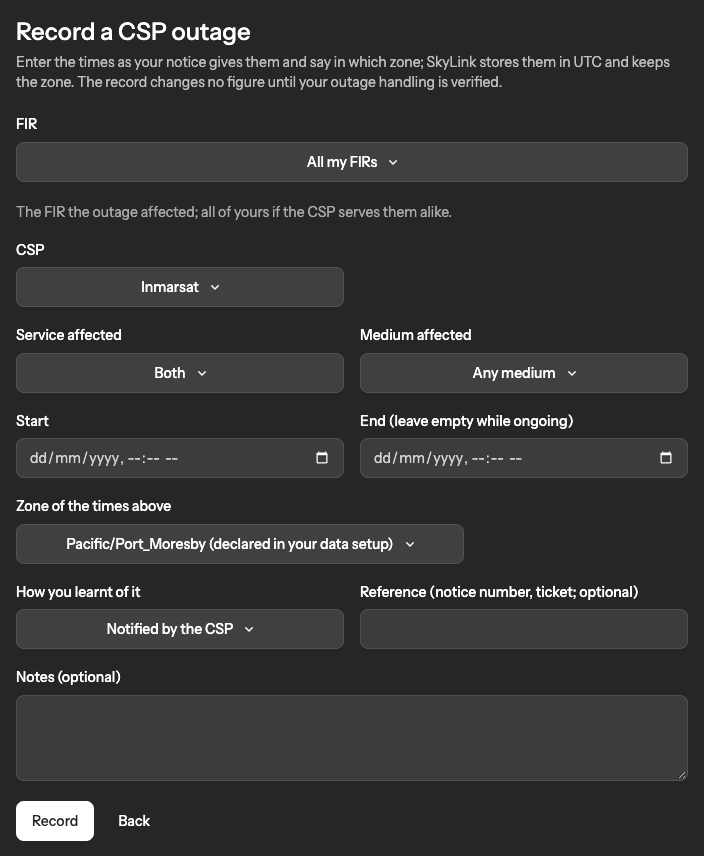
- The CSP, the medium affected (satellite, VHF, HF) and the service affected.
- The FIR the outage affected, or all of yours if the CSP serves them alike.
- The start and the end, with the zone the times are written in. The end is left empty while the outage is ongoing. Times are stored in UTC and shown in UTC; the zone each record was entered in is kept on it.
- How you learnt of it, a reference such as the notice number or the ticket, and notes.
A record can be edited; every change is audited. Withdraw removes it from use but keeps it in the history, marked withdrawn.
Importing a file of notices
Import a file takes a small CSV of outage notices, such as the list your CSP or the regional agency sends. After the upload you match its columns: the start is mandatory, and so is the CSP; the end, the FIR, the service, the medium, a reference and notes are optional. You say in which zone the times are written. Every readable row becomes a record with the source "imported"; a row whose times cannot be read is listed and skipped, never guessed. The file itself is not kept.
What changes in the reports
Nothing, until SkyLink has verified your outage handling and the time zone of your files. From the date the verification names, the transactions and reports that fall in a recorded outage are set aside before measuring: a transaction by its uplink time, a report by its aircraft time, matched by FIR, medium and service, the start included and the end excluded, an ongoing outage open-ended. Disputed and withdrawn records are never applied.
Every report page, export and scheduled report says what was done: a line under the figures names the number of outages recorded for the period and whether the handling is declared or verified, and the box under each table counts the rows set aside for outages; see the reports article. The report builder can show the same figure with and without the exclusion, so that the effect of an outage is visible.
Statuses
Each record carries a status, and the page's notice says separately whether your outage handling is declared or verified:
| Status | Meaning |
|---|---|
| reported | Recorded by your organisation, by hand or by import; shown with the reports. |
| verified | Checked by us; a later change to the record is audited and does not undo the verification. |
| disputed | Questioned by us or by you; never applied until resolved. |
| withdrawn | Taken back; kept in the history, never applied. |
A record is applied to a figure only when both hold: your outage handling is verified by SkyLink, and the record is not disputed or withdrawn.
Not answered here? Write to us.